A Windows desktop tool that turns one board into a production panel: step-and-repeat arrays sized to standard FR-4 sheets, with retain tabs, V-scores, tooling holes and fiducials, and a fabrication drawing on a standard sheet. Try it free for 30 days.
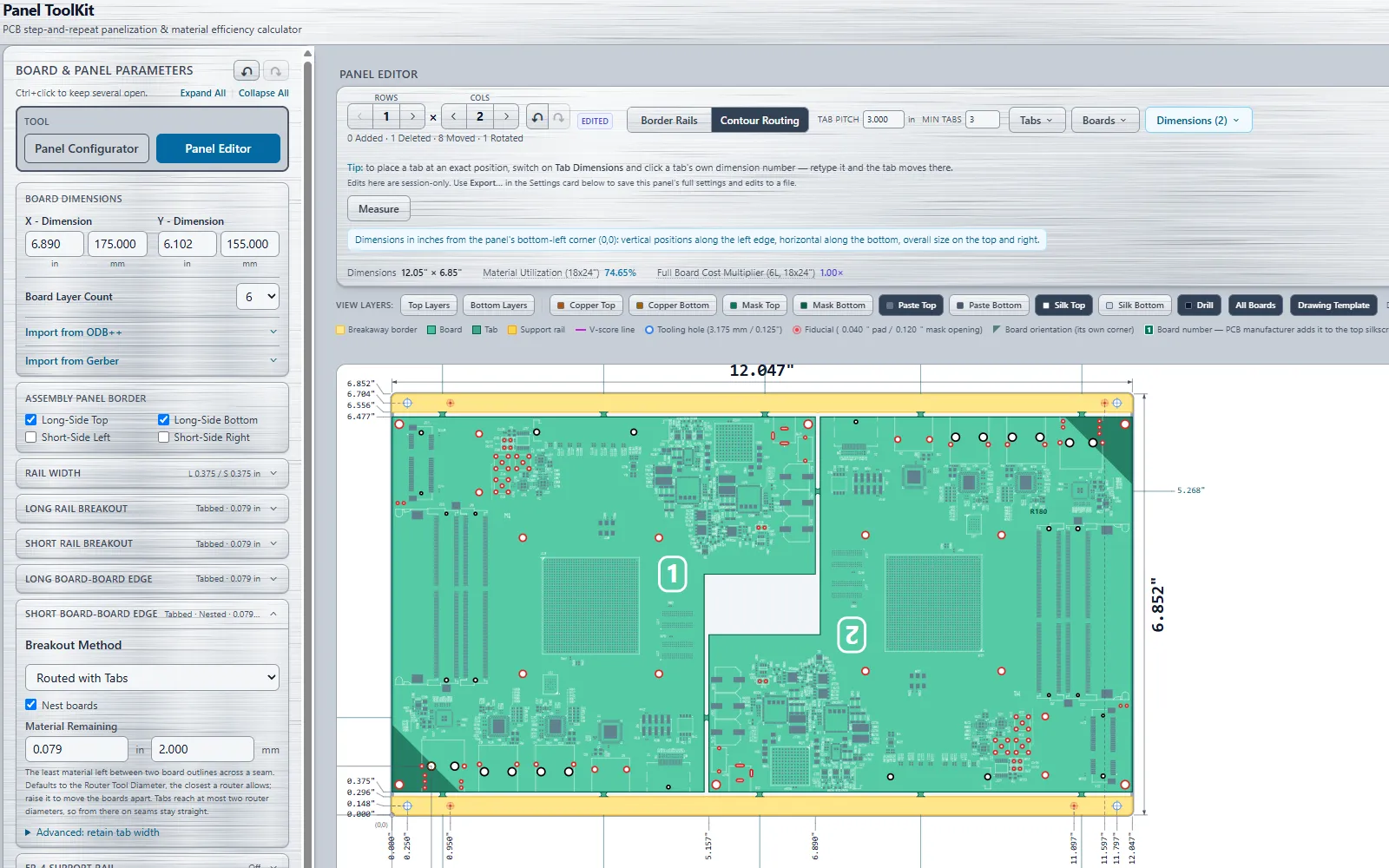
The Panel Editor. Two copies of a 6.9 by 6.1 inch board nested into a 12.05 by 6.85 inch panel with contour-routed rails: 74.65% material utilisation on an 18 by 24 inch sheet.
What it does
Import the board, get the panel
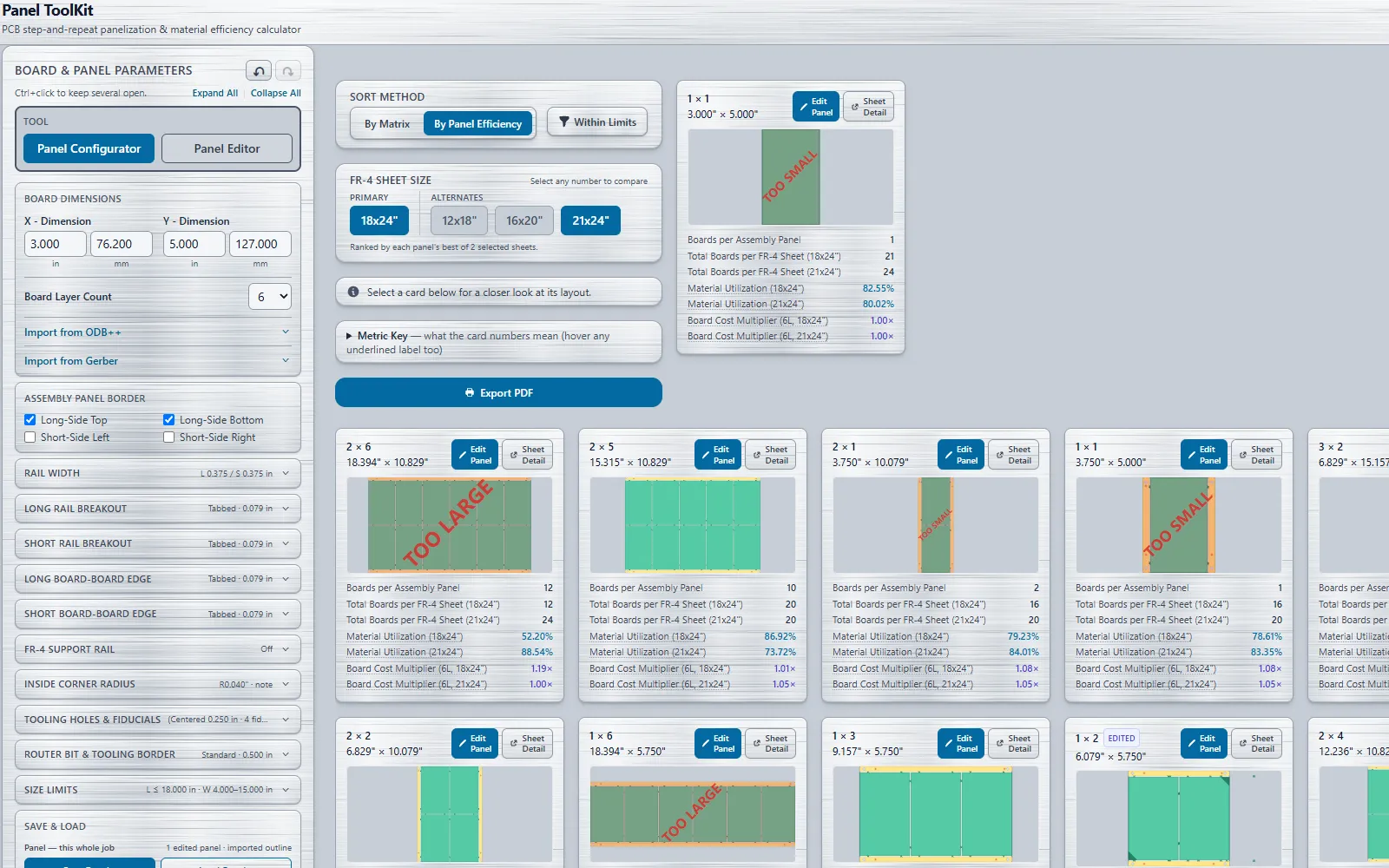
Import a board outline from Gerber (RS-274X), ODB++ or Excellon drill data.Panel Toolkit builds the step-and-repeat array with borders, rails, retain tabs, V-scores, mouse bites, tooling holes and fiducials, then ranks every fit on standard raw FR-4 sheet sizes by cost multiplier and material utilisation.
Edit the panel by hand
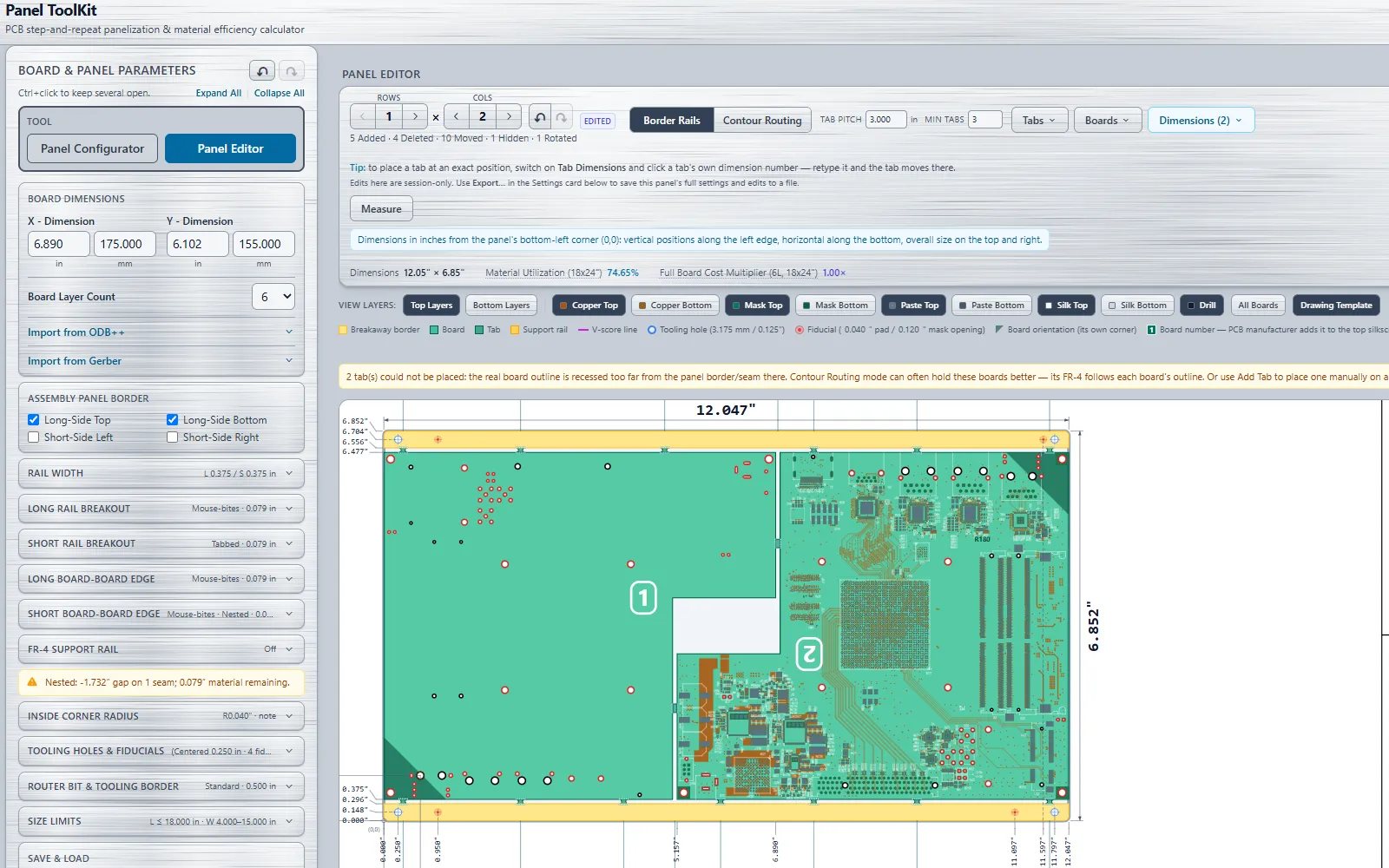
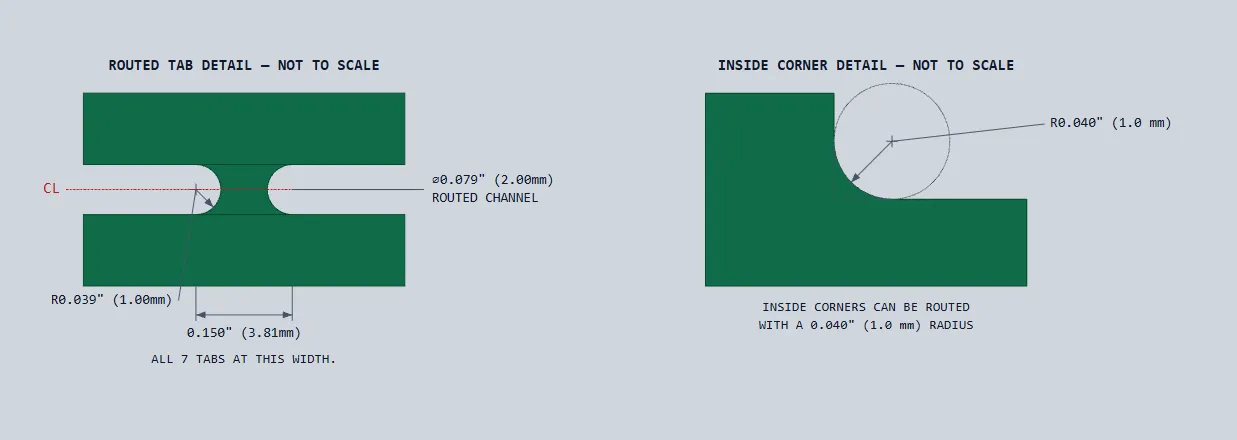
Add, move, lock or delete tabs, turn boards, nest boards into each other's recesses, add support rails, round inside corners, and undo any step. What the editor shows is exactly what the exports carry.
Export with the drawing
One click writes a layered DXF, a complete Gerber package and a vector PDF of the same geometry. Place the panel on one of 114 standard ANSI and ISO drawing sheets, or import your company's own DXF title block, and the fabrication drawing ships with the data.
How the trial works
Start your trial
Sign up with a card through our secure checkout. You aren't charged during the30-day trial.
Download and activate
We email your licence key. Download Panel Toolkit, run it, and enter the key on first launch to activate it on your PC.
Keep going, or cancel
After 30 days your yearly subscription starts automatically. Cancel any time before then and you won't be charged.
Pricing
Yearly subscription
Pricing is announced at launch. The 30-day trial is free either way.
30-day free trial
One licence per computer
Renews yearly; cancel any time
Every update released while you subscribe, and email support
Free trial coming soon
Questions
Can I use one licence on more than one computer?
No. Each licence activates on one computer.
Email support with your licence key and the licence is moved to your new PC. The old PC stops working once the move is made.
Do I need an internet connection?
Yes, to activate and to check your licence. Panel Toolkit checks your licence each time it starts and keeps working for seven days after its last successful check, so a week offline or a server outage never stops you working.
What happens if I cancel?
Your subscription won't renew, and Panel Toolkit stops working when your current trial or paid year ends.
What do I need to run it?
Windows 11, 64-bit. Panel Toolkit is a single portable program file: download it, run it from any folder, no installer. You need an internet connection to activate and, at least once a week, to check the licence.